Describe an app. Webase builds it, backend included.
Webase is an open-source AI app builder that runs on your own Claude or OpenAI key, so you pay your AI provider directly. Every app it builds comes with its own database, user logins and image uploads, and can use AI with your key.
Webase is open source under the MIT license. The code is on GitHub.
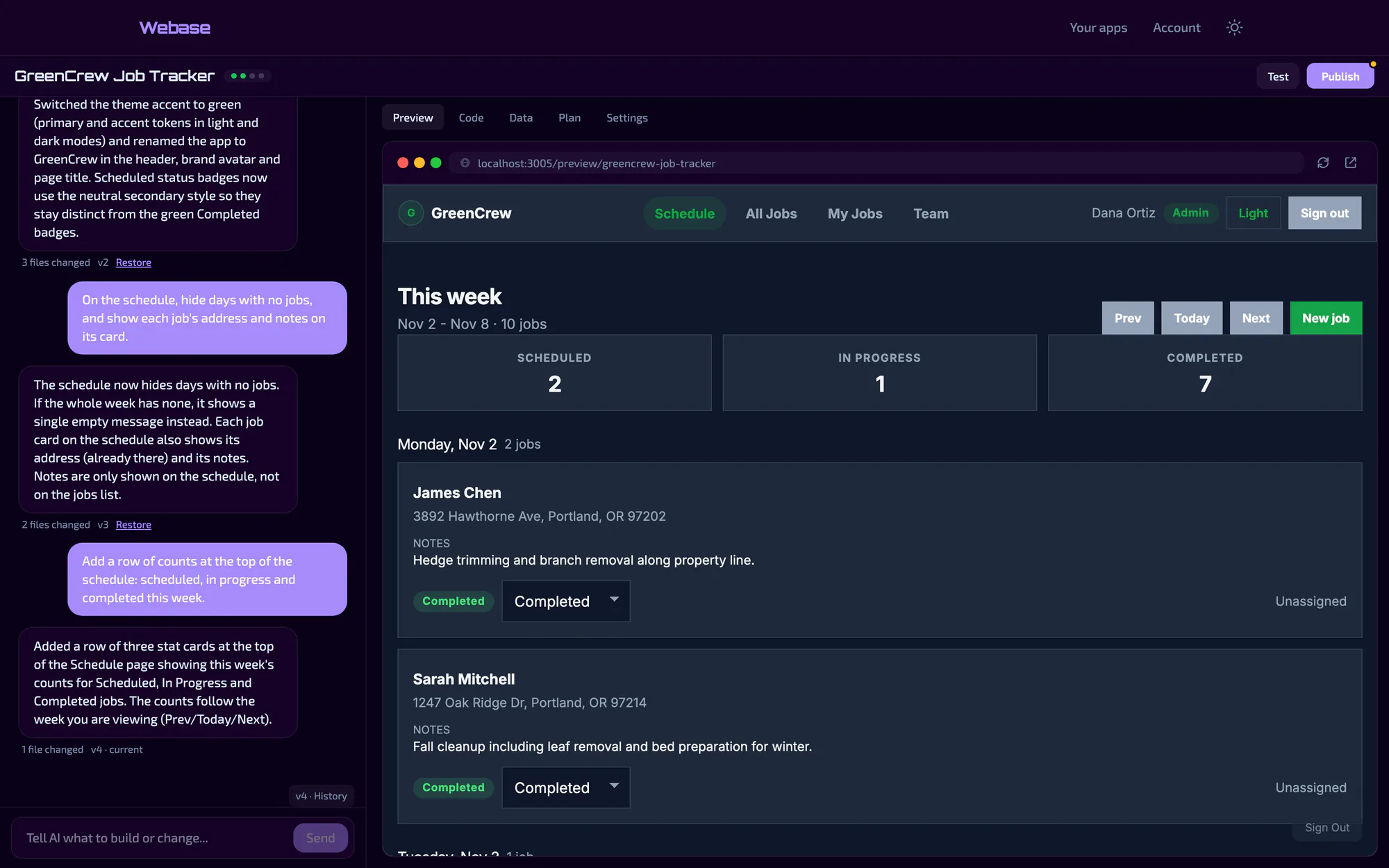
This sentence is the whole brief for the app above:
A job tracker for a small landscaping company. Track jobs with a customer, address, scheduled date and status, and show what’s scheduled this week. Crew members log in to see their jobs.
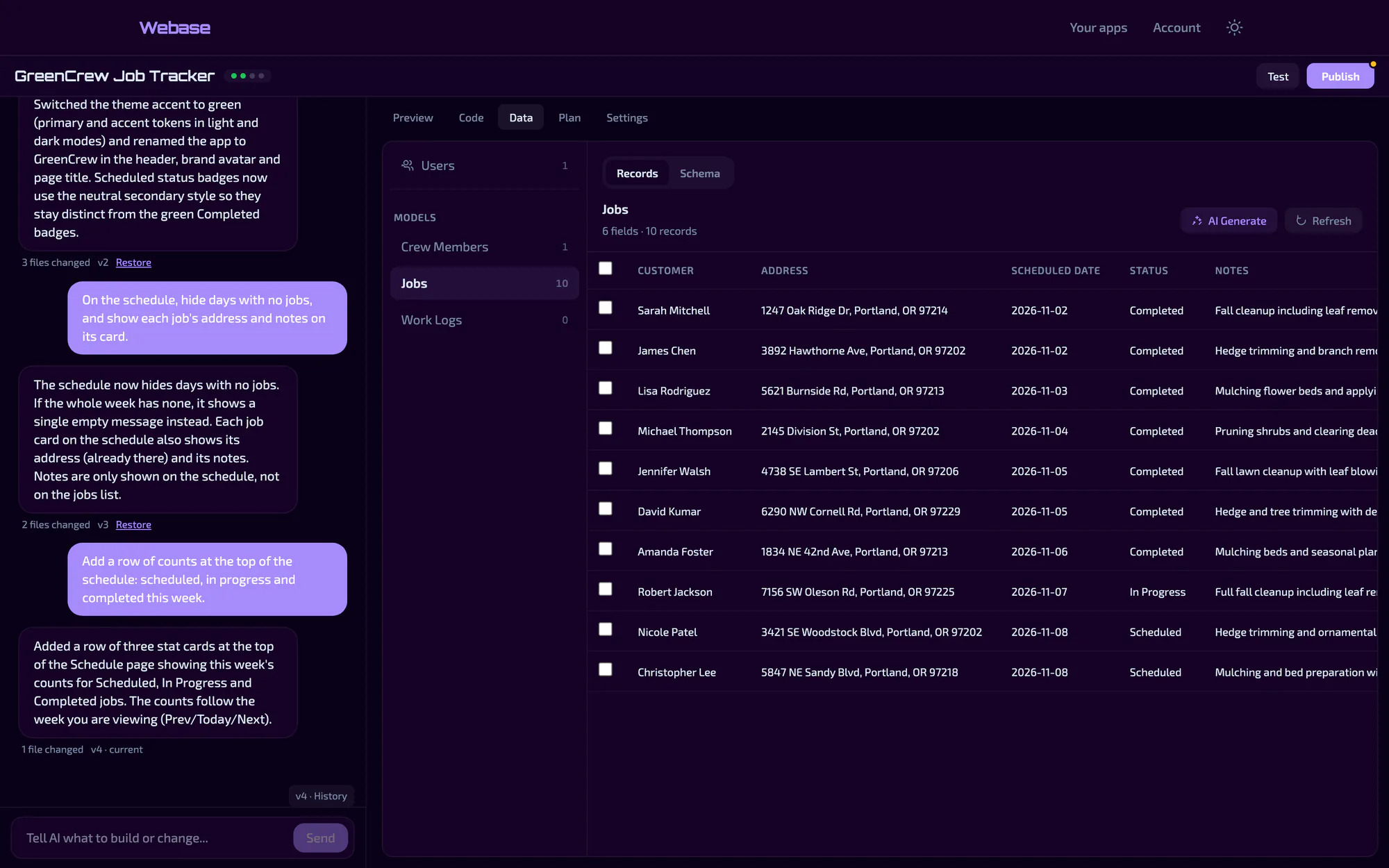
Webase planned the features, wrote 21 source files in about three and a half minutes, and set up the data. The app also got its own backend, with nothing else to install:
- Data
- Collections designed for the app, here jobs, crew members and work logs.
GET /api/v1/apps/greencrew-job-tracker/data/jobs- Logins
- Sign-up, login and password reset, and each user gets their own records.
POST /api/v1/apps/greencrew-job-tracker/auth/login- Images
- Image uploads your app can store and serve.
POST /api/v1/apps/greencrew-job-tracker/images/upload- AI
- Add a key to an app, and its features can call Claude or GPT.
POST /api/v1/apps/greencrew-job-tracker/ai/complete
How a build works
-
Plan
Webase turns your description into a list of features, each with a way to tell when it’s done, and suggests what to add next.
-
Build
It writes a React app and shows it in a live preview. Change it by chatting, or edit the code yourself. Every change is a version you can go back to.
-
Test
When you ask, an AI check scores the app against what you asked for and fixes what falls short.
-
Publish
Your changes stay private until you publish. Then share the app’s link, download its code, or push every version to GitHub.
Webase is free, and you pay your AI provider directly
- What a build costs
- In our test builds, a small notes app cost about 20 cents in API fees, and the job tracker above about 40.
- Your key
- It’s encrypted when you save it, used only for your own requests, and only its last four characters are shown again. Set a spending limit with your provider to cap what you can spend.
- Building from other AI tools
- ChatGPT, Claude or a coding agent can create and edit your apps over MCP.
- Running it yourself
- Webase is a Rails app. It needs Ruby, Node, PostgreSQL and MongoDB, plus a Claude or OpenAI key. The code is on GitHub.